

The Power of UX in Digital Collaboration
The way we collaborate has drastically evolved, especially with the rise of remote work and digital communities. Yet, many organizations and social groups still struggle with effective decision-making when physical meetings aren’t an option. Bureaucratic hurdles, time constraints, and inefficient digital tools often hinder meaningful participation.
Enter Collective Stories—a UX-driven solution designed to simplify collective decision-making through an engaging, structured, and intuitive format. This case study dives deep into the UX research, design thinking, and prototyping behind the project, demonstrating how human-centered design can facilitate seamless collaboration.
The Challenge: Enabling Seamless Digital Decision-Making
Problem Statement
How might we create a digital platform that helps communities make collective decisions efficiently, without physical meetings?
User Pain Points
- Traditional meetings are time-consuming and bureaucratic.
- Remote collaboration often feels disorganized and ineffective.
- Many individuals feel excluded from decision-making processes.
Target Users
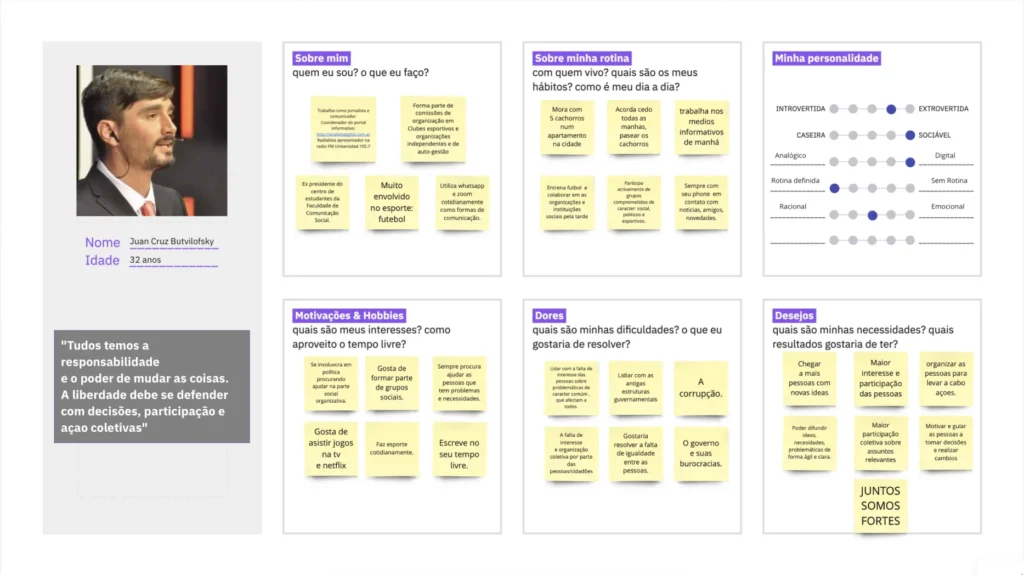
- Young professionals engaged in social initiatives and community organizations.
- Individuals looking for structured and efficient participation methods.
- People who feel disconnected from traditional decision-making processes.
Research Insights: Understanding User Needs
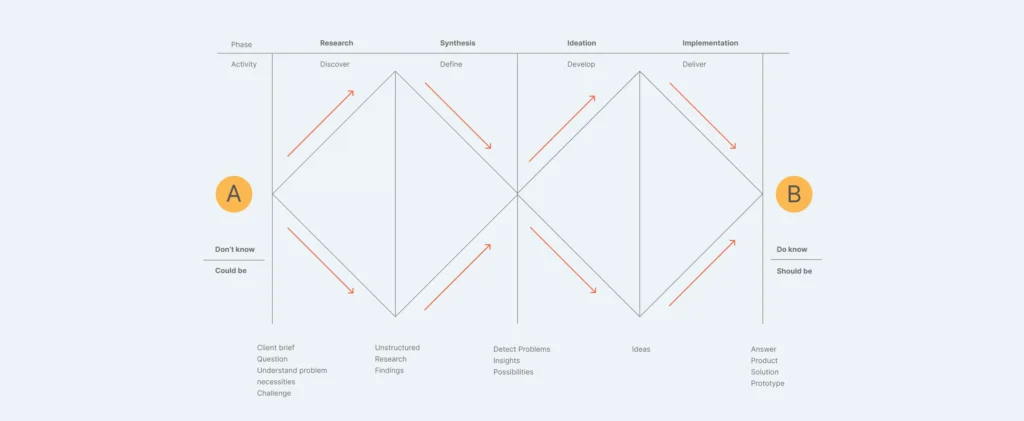
To ensure a user-centered design, we followed the Double Diamond Framework—a methodology that emphasizes problem discovery before jumping into solutions.
Research Methods
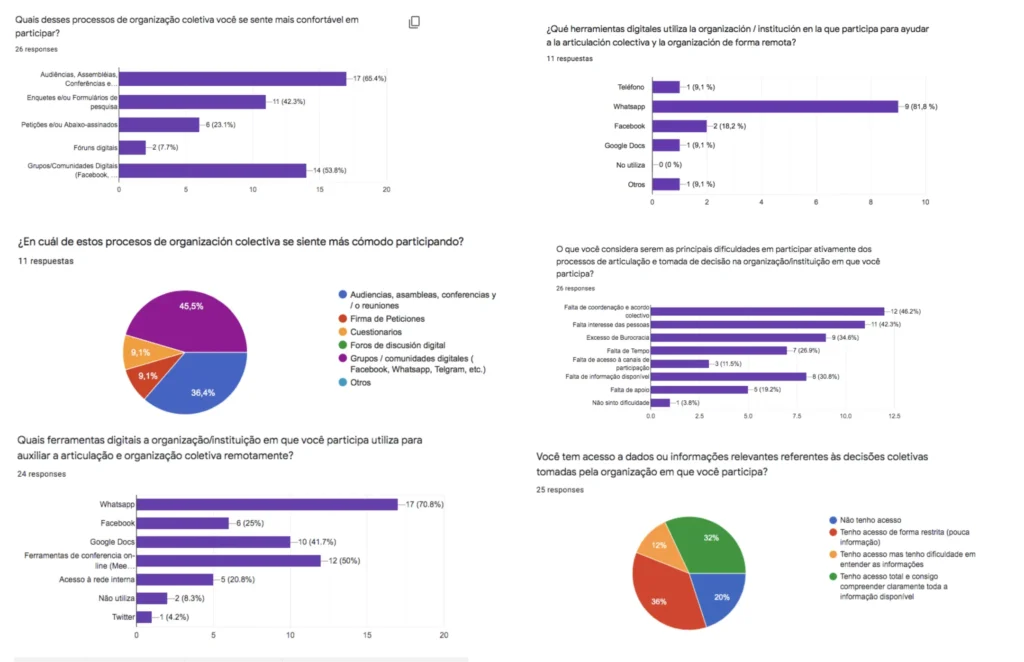
- Surveys & Interviews – Mixed qualitative and quantitative data collection.
- Competitive Benchmarking – Analyzing existing tools for remote collaboration.
- User Personas & Journey Mapping – Identifying key user needs and behaviors.
Key Findings
- 65.4% of surveyed participants regularly attend meetings for decision-making.
- The biggest frustration was the inefficiency and bureaucracy in traditional meetings.
- Users desired a fast, structured, and engaging way to participate in discussions.
Opportunity:
Users are already familiar with story-driven content (e.g., Instagram Stories). Integrating similar interaction patterns could make participation feel more intuitive and natural.
Ideation & UX Design: From Concept to Reality
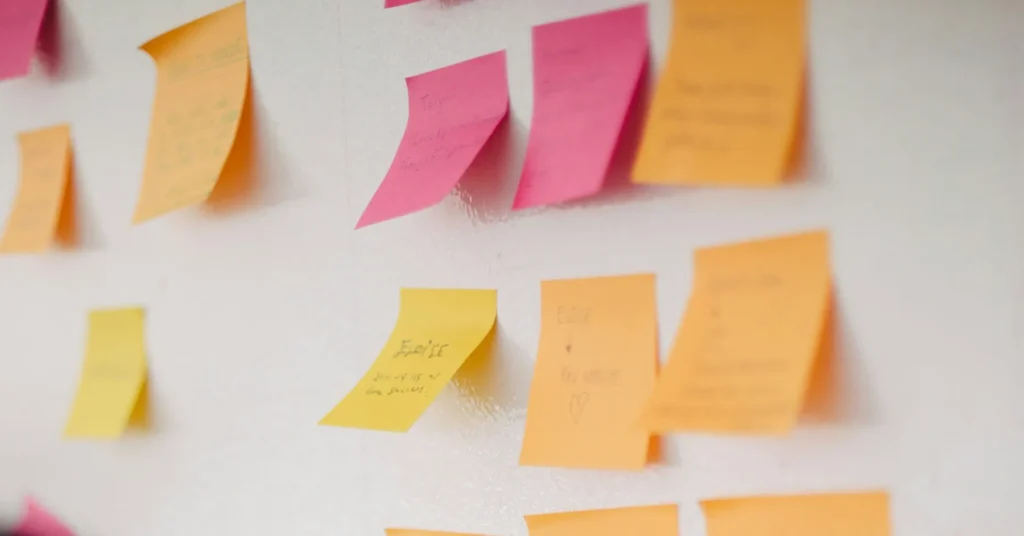
Brainstorming & Wireframing
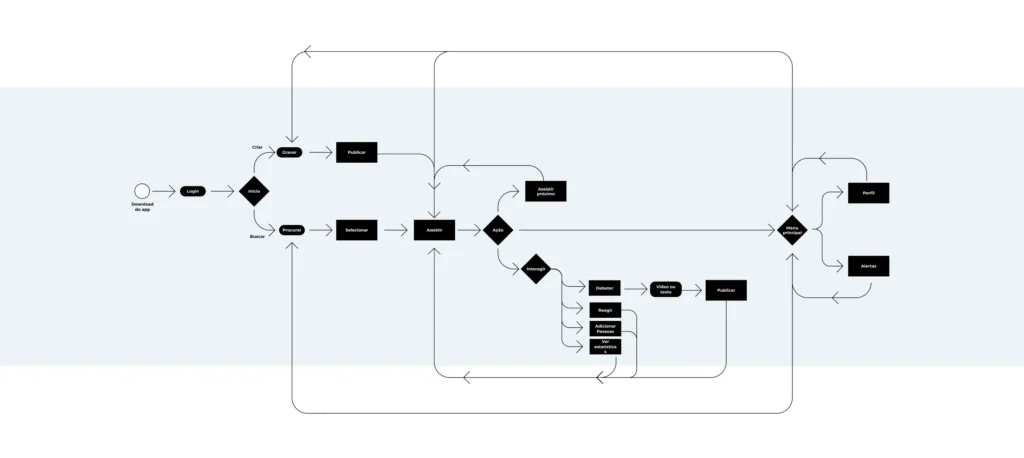
Using the research insights, we began the ideation phase:
- User flow designs user experience and flows in the app.
- Low-fidelity sketches to explore core functionalities.
- MoSCoW Prioritization to define essential vs. secondary features.
Branding & UI Guidelines
A strong visual identity was crucial for accessibility and engagement:
Typography
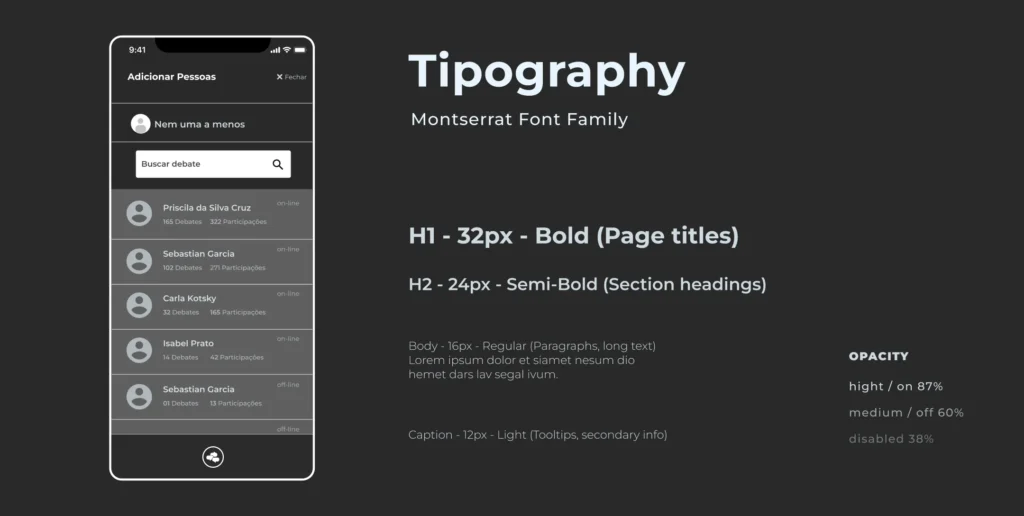
Montserrat font family was chosen.
Color Palette

Modern, minimal, and accessible colors.
Icons
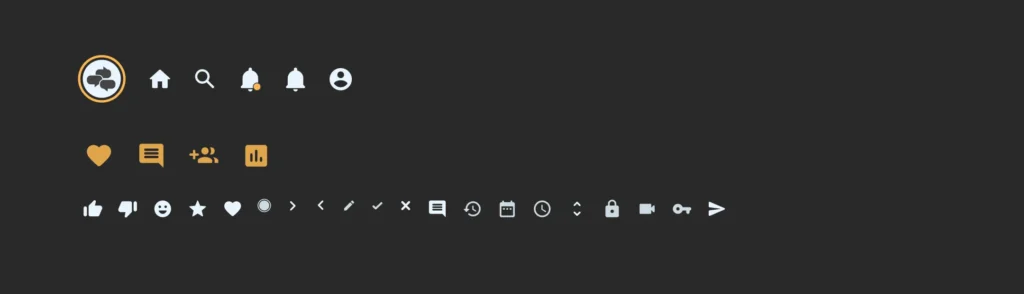
Designed for clarity and usability.
Core Features Designed
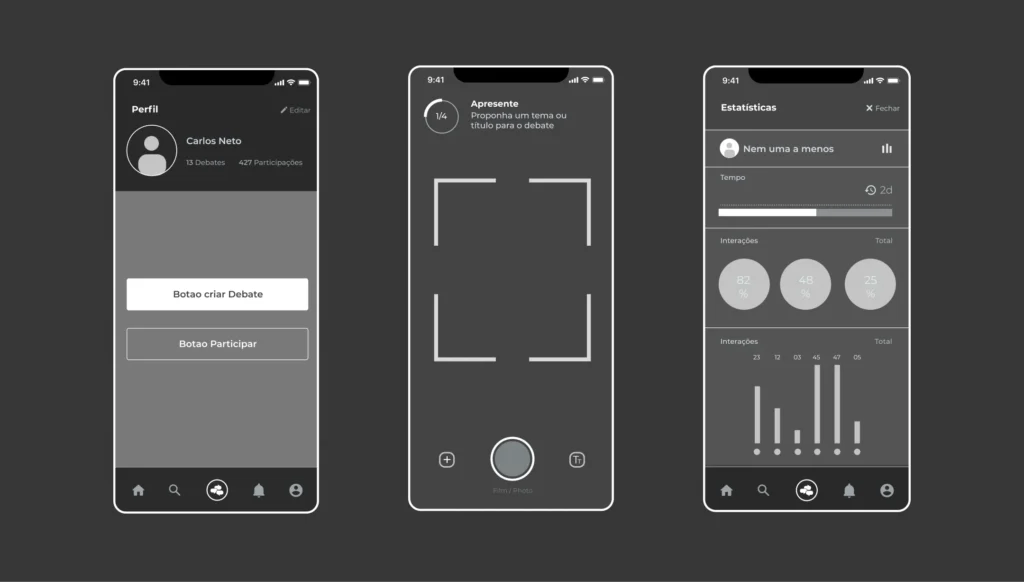
- Story-based discussions for structured problem-solving.
- Collaboration tools (polls, shared notes, and voting systems).
- Community-driven profiles & group spaces for engagement.
Prototyping & UI Design: Bringing the App to Life
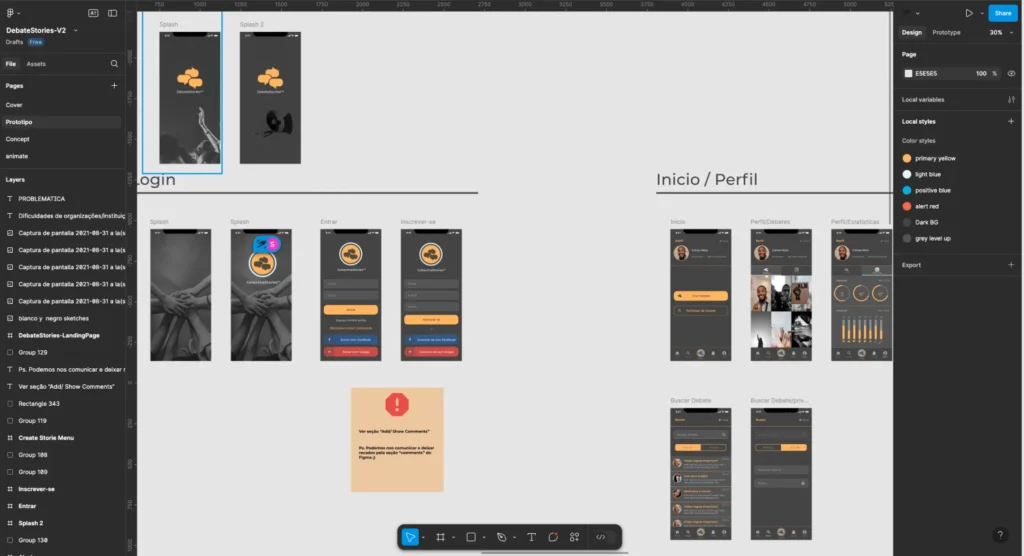
After finalizing the structure, we moved to high-fidelity prototyping using Figma.
Key Steps in the Design Process
- Wireframing → Mid-Fi Designs → High-Fi Interactive Prototype
- Usability Testing to refine navigation and interactions.
- Mobile-first, accessible design to maximize adoption.
Final UI Design Highlights
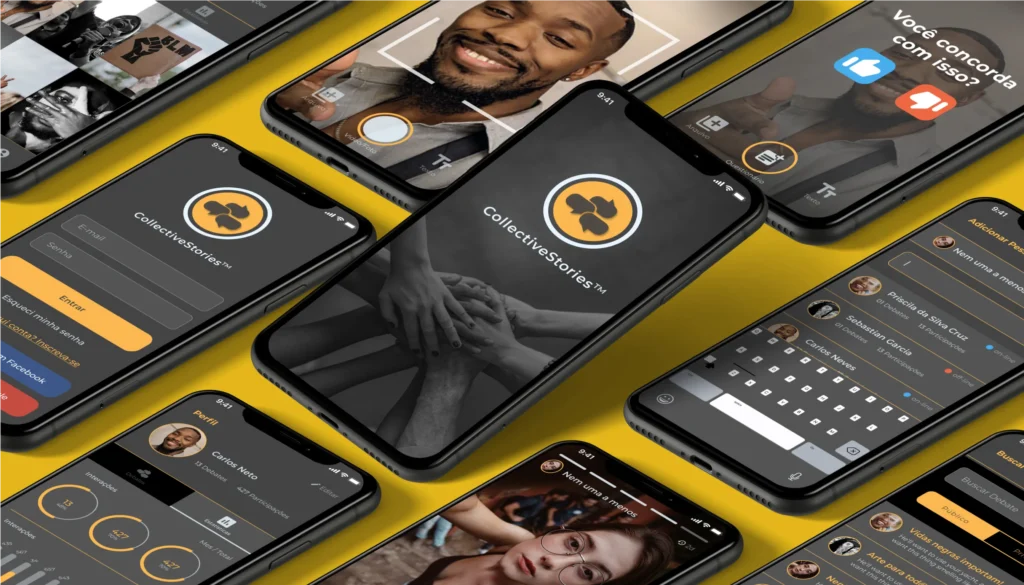
- Minimalist and intuitive interface for a frictionless experience.
- Story-driven content structure for increased engagement.
- Familiar yet innovative layout to ensure usability.
Results & Key Takeaways
What We Achieved
- Successfully built a functional, high-fidelity prototype.
- Applied diverse UX methodologies from research to testing.
- Created an intuitive platform for structured, collaborative decision-making.
What We Learned
- Storytelling in UX design enhances engagement and comprehension.
- User participation increases when digital spaces mimic real-life interactions.
- Iterative design is essential—user feedback led to significant refinements.
Next Steps & Future Improvements
- More usability testing with diverse user groups.
- Real-world implementation with community organizations.
- Enhanced engagement mechanisms (e.g., push notifications and discussion algorithms).
Final Thoughts: Designing for Social Good
Collective Stories is more than just an app—it’s a tool that empowers communities to make better decisions, regardless of location. By integrating UX design, storytelling, and digital collaboration tools, we can bridge the gap between remote participation and meaningful action.
Want to See the Prototype?
Explore the Prototype on Figma